NeoPixel
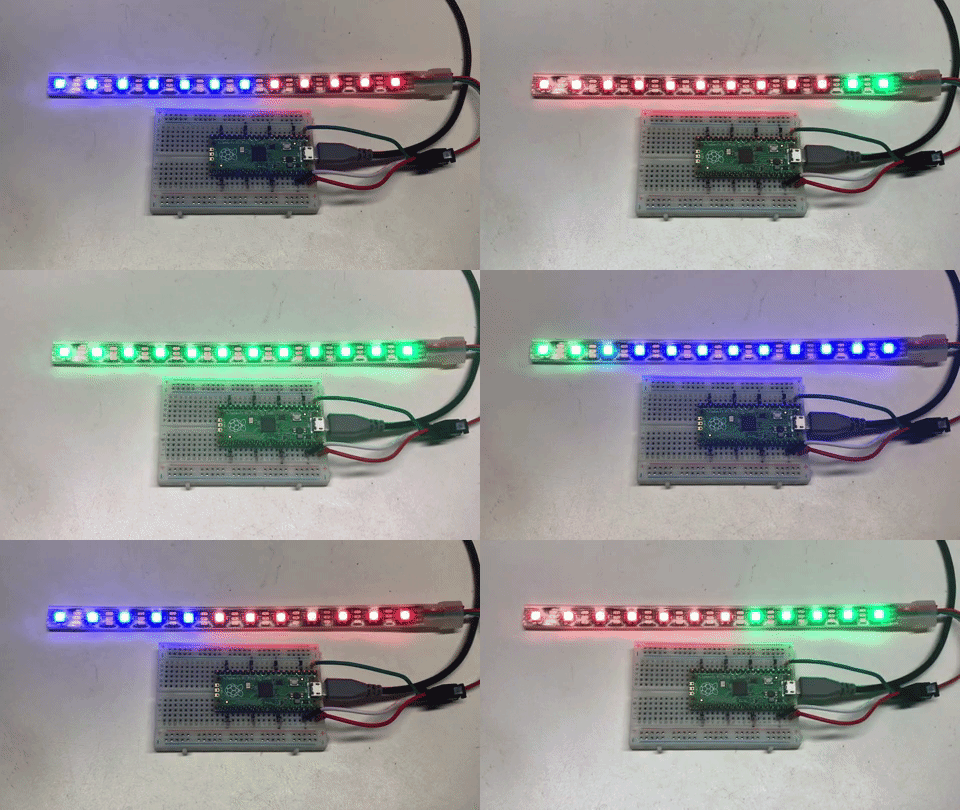
NeoPixels are Red-Green-Blue LEDs that are assembled in a way that makes them easy to control with three wires: GND, +5V and a serial data line. They are very popular with our students because they are powerful, easy to program and full of bling.
Note
As of September of 2021 there is no built-in support for NeoPixels in the MicroPython runtime for the Raspberry Pi RP2040 microcontroller. Other microcontrollers (like the ESP32, ESP8266), NeoPixel support is built in to the runtime library. The RP2040 may have direct support in the future, but for the short time we will have to download a NeoPixel library or add a NeoPixel function to our code. To find out if your current runtime has support for the NeoPixel run the help('modules') command at the RPEL prompt.
Controlling NeoPixels is challenging since the timing of data being sent must be very precise. Python alone is not fast enough to send bits out of a serial port. So a small function that uses assembly code is used. This code can be called directly from a neopixel driver file so that the user's don't need to see this code.
MicroPython Example Code on ESP8266
Circuit connections
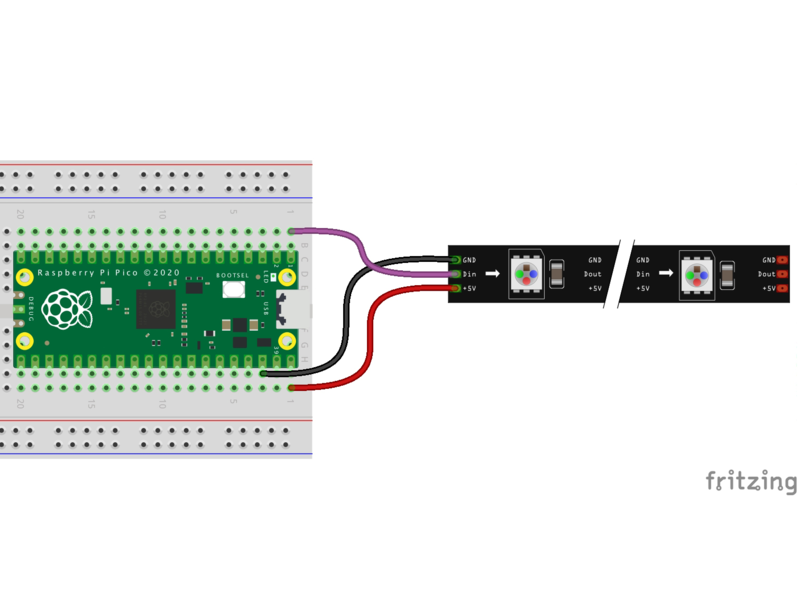
| LED Strip | Pico Name | Pico Pin | Description |
|---|---|---|---|
| GND | GND | 3 | Ground |
| 5v | VBUS | 40 | Voltage from the USB bus. Top right with USB on top |
| Data | GP0 | 1 | Topmost left with USB on top |
Setup Parameters
1 2 | |
Initialize the Strip Object
1 2 3 4 5 | |
Turn all the Pixels Red
1 2 3 4 5 6 7 8 9 10 11 | |
Turn All the Pixels Red, Green and Blue
1 2 3 4 5 6 7 8 9 10 11 12 13 14 15 16 17 18 19 20 21 22 23 24 25 26 27 28 29 30 | |
Full code (no library)
1 2 3 4 5 6 7 8 9 10 11 12 13 14 15 16 17 18 19 20 21 22 23 24 25 26 27 28 29 30 31 32 33 34 35 36 37 38 39 40 41 42 43 44 45 46 47 48 49 50 51 52 53 54 55 56 57 58 59 60 61 62 63 64 65 66 67 68 69 70 71 72 73 74 75 76 77 78 79 80 81 82 83 84 85 86 87 88 89 90 91 92 93 94 95 96 97 98 99 100 101 102 103 104 | |
References
Core Electronics: How to use WS2812B RGB LEDs with Raspberry Pi Pico - HTML page, sample code and video
MicroPython Library for NeoPixel - note the lack of support for the RP2040 microcontroller.